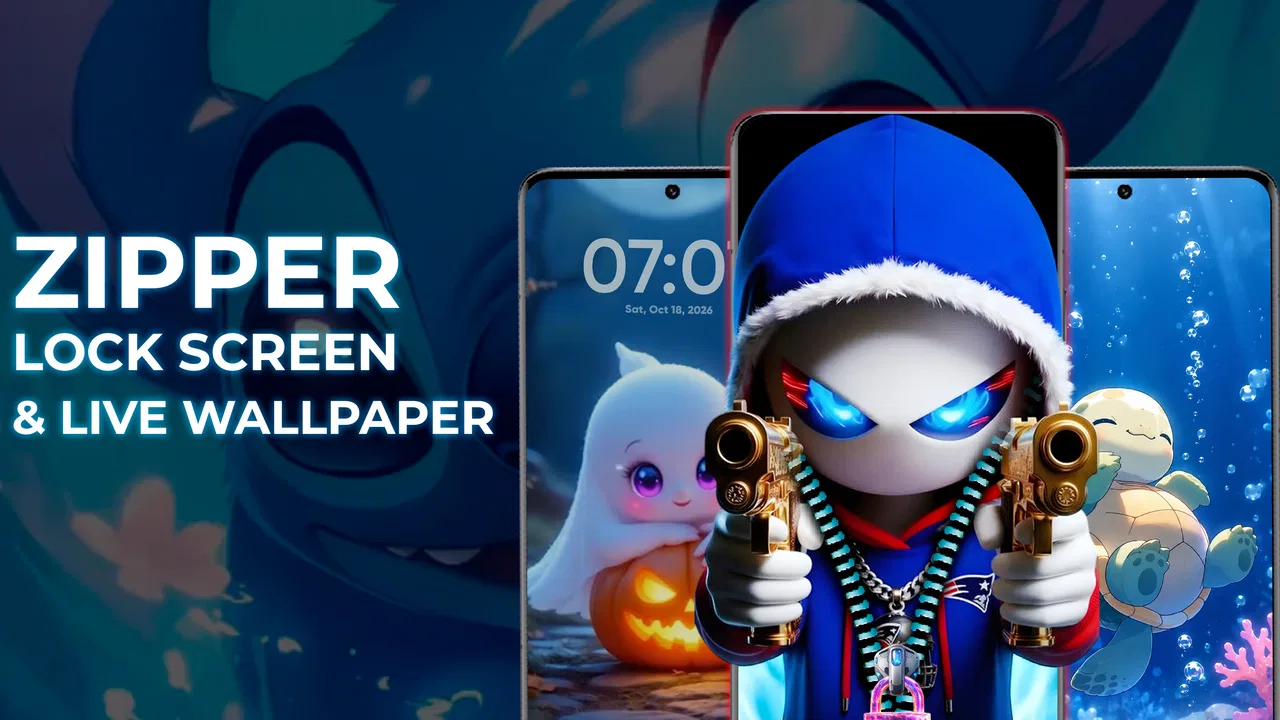
Zipper Lock Screen & Wallpaper
- 4.1
- Rating
- 10.00M
- Installs
- Free
- Price
 Analysis by App-foxy
I approached Zipper Lock Screen & Wallpaper as a personalization tool rather than a complete replacement for a phone’s security system. Its appeal is immediate: it gives the lock screen a more playful, decorative identity by combining zipper-style themes with animated 4D wallpaper. After spending time adjusting the look and using it as part of a normal phone routine, my view is that it works best for people who want their device to feel more expressive every time they wake the screen. It is less convincing for anyone who wants the fastest, quietest, and most practical lock-screen experience possible.
The app is free to install, which makes it easy to try without committing money upfront. Creative Apps Studio LTD presents it as a personalization app, and that description fits better than calling it a serious security utility. The zipper effect is the visual centerpiece, while the live wallpaper supplies movement behind the lock-screen presentation. That combination gives the phone a noticeably different mood without requiring a complicated launcher overhaul.
What stands out when using the zipper themes
The strongest part of the experience is the sense of occasion when unlocking the phone. A standard lock screen usually disappears as soon as it has done its job. Here, the zipper interaction becomes part of the visual routine. It can make a phone feel customized in a way that a static wallpaper alone does not. I found this especially appealing on a device that otherwise looked exactly like every other Android phone.
You May Also Like

 Blood Strike: 2.5 Anniversary
Blood Strike’s Loadouts Turn Every Drop Into a Tactical Gamble
A close look at Blood Strike’s custom loadouts: how fast access to signature weapons reshapes its battle royale rhythm, rewards preparation, and narrows the gap between fights.

 Pandora - Music & Podcasts
Pandora’s Music Is Easy to Start, but Harder to Recover
Pandora’s strength is its low-effort path from a seed to a station. Its weak spot is how much confidence it asks you to place in connection, setup, and quiet recovery.

 8 Ball Pool
 Is Built on Rivalries, Rematches, and Routine
A close look at the rivalries, rematches, shared routines, and unanswered safety questions that turn a quick pool match into a persistent mobile community.

 Samsung Music
’s Quiet Strength Is Playing What You Already Own
Its reach comes less from spectacle than from dependable access to a personal library. That simplicity is both the app’s strongest retention engine and its ceiling.

 AccuWeather: Weather Radar
AccuWeather Review: A Quick, Clear Forecast for Everyday Decisions
For everyday plans, the best forecast is the one you can understand quickly. AccuWeather makes rain timing, radar, and local conditions easy to act on, with a few trade-offs.

 Hill Climb Racing
Why Hill Climb Racing Still Turns Crashes Into One More Run
A tiny car, a bumpy hill and one more upgrade: Hill Climb Racing keeps resurfacing because its simple chaos makes every near-miss feel personal.
More From Our News Desk



The themes are also useful for matching a particular style rather than merely adding motion. Someone who enjoys bright colors, fashion-inspired visuals, cute designs, or a more dramatic appearance can use the lock screen as a small expression of personality. That is a different goal from changing icons or installing a full launcher: the effect is concentrated in the first screen you see, so the rest of the phone can remain familiar.
The live wallpaper adds another layer, but it should be judged as decoration, not information. I would not choose this app expecting useful widgets, a productivity dashboard, or a replacement for a carefully organized home screen. Its value is visual atmosphere. When the animation suits the selected zipper theme, the two parts feel like one design instead of separate effects placed together.
One practical advantage is that the app can appeal to people who want customization without learning a new interface. A full launcher may change app placement, gestures, folders, and settings all at once. This type of lock-screen customization is more focused. You can keep the familiar way of using the phone while changing the moment of waking it. That makes it approachable for a family member or friend who likes decorative themes but dislikes major changes to navigation.
I also think the app works well as a rotating seasonal or mood-based detail. Rather than treating one design as a permanent commitment, I would switch between a calmer look for everyday use and something more colorful when I wanted the phone to feel less ordinary. This is a simple workflow, but it prevents the novelty from wearing off as quickly as it might if the same animation stayed active for months.
Where it fits into an everyday routine
Imagine checking a message during a commute or reaching for the phone while making coffee. The zipper screen gives that brief action a visual transition before the usual phone interface appears. That will not save time, but it can make a repetitive action more enjoyable. For a teenager personalizing a first phone, or for someone who treats a device as an accessory as much as a tool, that moment may be the main reason to keep the app installed.
There is also a useful social angle, although I would not overstate it. A distinctive lock screen can be an easy conversation starter when somebody notices the zipper effect. It is a small detail, not a complete transformation, but the app makes the phone visibly personal before an app is even opened. That is more noticeable than a wallpaper hidden behind a crowded home screen.
My advice is to choose the theme with the phone’s everyday environment in mind. A very busy animated design may look entertaining for a few minutes but become tiring when seen repeatedly. A simpler zipper style can provide the same sense of customization while remaining easier on the eyes. This is one of the less obvious trade-offs: the most dramatic preview is not necessarily the most comfortable choice for constant use.
The important distinction between style and security
I would be careful about treating the zipper action as a substitute for the phone’s established protection. The app’s central promise is visual personalization, so I would continue relying on the device’s normal passcode, pattern, fingerprint, or other built-in security option where available. In practical terms, the zipper should be understood as the presentation layer, not as the reason to abandon a trusted security habit.
This distinction matters particularly if the phone contains banking apps, work documents, private photographs, or conversations that need stronger protection. A decorative lock screen can look secure because it appears before the home screen, but appearance and protection are not the same thing. I would test how the app behaves alongside the phone’s existing lock method and keep the system-level safeguard enabled if privacy is a priority.
That approach also answers a common concern about convenience. If you only want a visual effect and do not want an extra barrier between you and your apps, the app may be enjoyable when configured around the phone’s normal unlock process. If you want a separate layer of security, you should think carefully about whether the additional interaction is worth the delay each time you unlock. The right choice depends on whether the zipper is entertaining or merely in the way.
What I found less convincing
The main weakness is that the visual novelty can become repetitive. A zipper animation is memorable because it is unusual, but repeated dozens of times a day, any decorative transition can start to feel like an extra step. People who unlock their phones constantly for short tasks may prefer the directness of the default lock screen. In that situation, the app’s signature feature is also its biggest source of friction.
Live wallpaper can create a similar trade-off. Motion looks attractive in a preview, yet constant animation is not automatically better than a still image. Some users will enjoy the energy, while others will find it distracting, especially when checking the phone in a quiet setting or late at night. I would choose a restrained theme if the phone is used heavily throughout the day and reserve more elaborate visuals for occasional experimentation.
There is also a learning curve in deciding how much customization is enough. The basic idea is easy to understand, but getting a polished result depends on selecting a zipper theme and wallpaper that complement one another. If the colors clash or the animation competes with the unlock action, the result can feel decorative for its own sake. My practical tip is to judge the complete lock screen for several normal unlocks, not just the first preview. The first impression can be exciting while the long-term result is less comfortable.
The free model is another consideration. The app itself costs nothing to install, while optional in-app purchases range from forty-nine cents to six dollars and ninety-nine cents per item. That is not automatically a problem, but it means the most appealing customization choices may encourage spending after the initial trial. I would use the free experience first, decide whether the lock-screen interaction genuinely improves daily use, and only then consider buying an individual item.
That advice is particularly important because personalization apps can produce a strong first impression without becoming lasting habits. If the effect feels fresh for an afternoon but annoying by the next day, paying for more themes will not solve the underlying issue. The purchase decision should be based on continued comfort, not on the excitement of seeing a new design for the first time.
Compatibility, maturity, and the practical audience
The app runs on Android devices using version 8.0 or later, which gives it a broad place among older and newer phones. The current release is 1.7.0, and the app is marked suitable for Everyone. Those details make it easier to consider for a shared household device or a younger user who wants a more expressive screen, although I would still configure the phone’s normal privacy protections separately.
Its reach is substantial: it has passed ten million installs and holds a 4.5 average from around forty-four thousand ratings. I see those figures as evidence that the concept has found a real audience, not as proof that every phone owner will enjoy it. The experience is inherently personal. Someone who likes animated themes may find the app charming, while someone who sees the lock screen only as a barrier to the home screen may remove it quickly.
The app has also accumulated around one hundred forty written reviews, which is a smaller and more qualitative signal than the broader rating count. I would focus less on popularity and more on the question of how often you unlock your phone and how patient you are with visual transitions. Those two habits predict satisfaction better than the number of downloads.
I think the best audience includes people who enjoy changing phone themes, users who want a distinctive lock screen without replacing the launcher, and families looking for a friendly personalization option. It can also suit anyone who likes animated wallpapers but wants the lock screen to feel more interactive than a simple background. The app is especially easy to recommend as a low-risk experiment because the starting price is free.
On the other hand, I would skip it if you value instant access above visual flair, prefer a minimalist interface, or are sensitive to moving backgrounds. I would also look elsewhere if your main goal is advanced security, detailed notification management, or deep home-screen organization. A dedicated launcher, the phone manufacturer’s own customization tools, or a static wallpaper will be better choices for those needs.
How it compares with ordinary alternatives
The usual alternative is simply using the phone’s built-in lock screen with a personal image. That option is generally cleaner and more predictable. It avoids the extra visual transition and is usually enough for someone who only wants a different background. The advantage of this app is not basic customization; it is the combination of a zipper-style interaction and a moving visual environment.
Compared with a full launcher, the app is narrower and easier to live with. A launcher offers more control over the home screen, icons, folders, and layout, but it also changes more of the phone. I would choose the zipper app when I want a focused visual change and a launcher when I want to redesign the whole interface. Trying to use both may be unnecessary unless the two designs clearly complement each other.
Compared with a static live-wallpaper app, this one has a stronger identity. A wallpaper-only tool may provide more freedom over the background, while the zipper concept gives this app its recognizable character. The trade-off is that users who want complete control over every part of the screen may find the focused theme approach limiting. It is designed around a particular visual experience rather than being an all-purpose wallpaper editor.
One useful way to decide is to ask what you want to notice when you wake the phone. If the answer is “nothing; I just want to get to my apps,” use the default lock screen. If the answer is “a design that feels like mine,” this app has a clear reason to exist. That simple test helped me separate genuine usefulness from novelty.
My final recommendation
After using it as a personalization app, I see Zipper Lock Screen & Wallpaper as a focused and enjoyable visual upgrade rather than an essential phone utility. Its best evidence is the way the zipper interaction gives the lock screen a distinct personality, while the 4D live wallpaper makes the presentation feel more active than a standard image. The concept is specific enough to be memorable, but that same specificity means it will not suit every taste.
I would recommend trying the free version if you enjoy animated themes, frequently refresh your phone’s appearance, or want a small change that does not demand a new launcher. Start with a calmer design, use it through a normal day, and keep the phone’s built-in security method in charge of actual protection. If the animation still feels pleasant after repeated unlocks, optional purchases may be worth considering; if it starts slowing you down, the default lock screen is the better answer.
My verdict is positive but selective. This is a good choice for expressive personalization, a questionable choice for minimalists, and the wrong tool for anyone searching primarily for security or productivity. Creative Apps Studio LTD has built an app around one clear idea, and it succeeds when that idea matches the way you want your phone to feel. The real test is not whether the first unlock looks impressive, but whether you still enjoy it after a full day of ordinary use.
FAQs for Zipper Lock Screen & Wallpaper
01What is the Zipper Lock Screen & Wallpaper app?
The Zipper Lock Screen & Wallpaper app is a unique personalization tool that transforms your phone's lock screen into an interactive experience. Instead of the traditional swipe or passcode, users unzip their lock screen, adding a fun and stylish touch. The app also offers a variety of wallpapers to customize the background, enhancing the aesthetic appeal of your device.
02Is the Zipper Lock Screen & Wallpaper app secure?
Yes, the Zipper Lock Screen & Wallpaper app is designed with security in mind. While it provides a novel unlocking method, it still supports traditional security features like PINs or pattern locks. This ensures that your device remains secure even while enjoying the unique zipper animation. Always ensure to enable these security features within the app settings.
03Can I customize the zipper design and wallpaper?
Absolutely! The Zipper Lock Screen & Wallpaper app offers a wide range of customization options. Users can choose from various zipper designs and colors, as well as a diverse selection of wallpapers to suit their personal style. This level of customization allows you to create a lock screen that truly reflects your personality and preferences.
04Does the app have any impact on battery life?
While the Zipper Lock Screen & Wallpaper app is designed to be efficient, any app with animations and custom graphics may have a slight impact on battery life. However, the developers have optimized the app to minimize this impact, ensuring that you can enjoy the stylish features without significant battery drain.
05Is the app compatible with all Android and iOS devices?
The Zipper Lock Screen & Wallpaper app is compatible with most Android and iOS devices. However, it’s always a good idea to check the app requirements in the store listing to ensure compatibility with your specific device model and operating system version. Regular updates also help maintain compatibility with newer devices.
Pros
- Unique lock screen customization options.
- Wide variety of zipper styles available.
- Intuitive and user-friendly interface.
- Lightweight app with minimal storage use.
- Enhances device security with style.
Cons
- Contains ads that can be intrusive.
- Limited wallpaper options without purchase.
- Zipper animation can be laggy on older devices.
- Some features require in-app purchases.
- Occasional crashes reported by users.

Zipper Lock Screen & Wallpaper
Gallery